
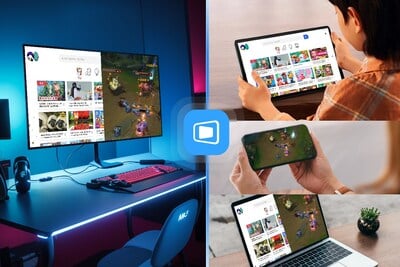
As remote connectivity becomes an essential part of modern life, new solutions are emerging to meet growing demands. DeskIn, developed by Singapore-based Zuler Technology Pte. Ltd., is revolutionizing the way we connect to devices anywhere, anytime. With more than 180 million device installations, DeskIn aims to be the go-to remote desktop app for the AI era, offering a seamless blend of convenience, security, and cross-device integration.
How DeskIn Is Shaping the Future of Remote Connectivity
DeskIn stands out by turning remote desktop technology into a mainstream lifestyle app. Powered by its proprietary ZeroSync® Engine, DeskIn breaks the boundaries of traditional IT tools. It enables users to access their devices for work, study, play, and daily tasks—no matter where they are. From remote workers and gamers to students and creative professionals, DeskIn’s reach is global and inclusive. Its focus is on making remote connections not only functional but also part of daily routines, spanning any device or platform.
Key Features That Make DeskIn Stand Out for All Users
DeskIn offers a rich feature set that fits a wide variety of use cases. Highlights include:
- Multi-platform compatibility: Works with Windows, macOS, Android, and iOS for seamless cross-device operation.
- Fast file transfer: Sends files across platforms at speeds up to 12MB/s without restrictions on size or type.
- Ultra-high-definition and low latency: Delivers up to 4K at 60 FPS and latency as low as 0.04 seconds, optimizing for gaming and design.
- Integrated collaboration tools: Enables text chat, voice calls, and whiteboard annotations for smooth teamwork.
- Versatile screen management: Supports screen mirroring, extensions, mobile screen sharing, and multiple virtual screens.
- Wide peripheral support: Compatible with game controllers, drawing tablets, gaming mice, and more.
- Scenario-based control modes: Five specialized modes, including gaming, office, high-performance, and low-consumption.
These features are designed to accommodate a broad spectrum of users, from families needing tech support to professional designers requiring high-powered remote access.
Plans, Security, and Getting Started With DeskIn
DeskIn caters to diverse needs with both Personal and Enterprise plans. Personal users can choose from Free, Standard, Gaming, and Performance versions. Each plan targets specific needs—such as basic file access, multiscreen use, remote gaming, or intensive creative work. For businesses, the Enterprise plan offers advanced security, commercial licensing, and tailored services.
- Security: DeskIn employs end-to-end encryption, multi-layer access control, and industry certifications like ISO 27001 and AES-256 encryption to ensure peace of mind.
- Easy setup: Users simply install DeskIn on their devices, log in, and connect securely with just a few clicks.
A special promotion is running through March 31st, allowing new users to get 20% off all annual individual plans with the code NEWDESKIN, making it even easier to try the platform in various life scenarios.
DeskIn is quickly becoming the bridge to a “borderless digital life.” By blending the power of AI, secure connectivity, and cross-device access, DeskIn is set to shape how individuals and organizations interact with technology in a connected world. As lifestyles continue to evolve, DeskIn’s commitment to accessibility, performance, and security makes it an essential tool for work, gaming, creativity, and everyday convenience.
Don’t miss our latest Startup News: Spectrum $1,000 Savings Guarantee Promises Unbeatable Value